EIGHT-OPTION INTERACTIVE SYMPTOM FINDER
What is your heating programmer doing?
Choose the closest symptom. The result points to the next safe check and the explanation below; it cannot determine whether an electrical component has failed.
SHORT ANSWER
Why does a central-heating programmer stop following its schedule?
A heating programmer can appear broken because its clock is wrong, the active day or channel is wrong, the controls are set to OFF or MANUAL instead of AUTO, a temporary Boost or Hold is active, or a time period was never saved. After an interruption, some models restore their schedule automatically; others lose the time or revert to defaults. A blank display may indicate lack of power, a battery problem on applicable models or a failed unit. If the display and timing are correct but the equipment fails to respond, the problem may be downstream: the room thermostat, wireless receiver, motorised valve, boiler or other heating equipment.
The quickest safe way to narrow it down is to record the time and mode, check the correct heating channel, raise the room thermostat above actual temperature, then use a model-approved temporary ON or Boost once. If manual heating works and the timed schedule does not, concentrate on the clock, programme periods and overrides. If neither works, the fault may not be the timer.
SAFETY FIRST
What not to do while testing a programmer
Stay with ordinary front-panel controls and the printed user guide. Many UK programmers connect to mains-voltage wiring behind the wall plate even when the front display looks like a low-voltage device. Do not pull a controller off its backplate, swap faceplates, probe terminals, bridge programmer contacts, defeat a fuse or work inside the boiler. Do not repeatedly reset an appliance that shows an error code; record it and follow the manufacturer's instructions. Electrical or gas repairs belong to a qualified professional.
For a household that has vulnerable occupants or is at risk of frozen pipes, arrange heating support promptly rather than leaving the system off indefinitely. Some heating systems protect themselves against freezing independently of the programmer.
FIVE-MINUTE CHECKLIST
Check these before deciding the timer has failed
- Identify the device. Is it a separate two-channel timer for central heating (CH) and hot water (HW), a programmable room thermostat, a smart heating hub or a boiler's built-in clock? Find the model number without taking covers off.
- Read the actual date and time. Check AM/PM or 24-hour display, weekday, clock-change settings and whether yesterday's/day-after schedule is being used.
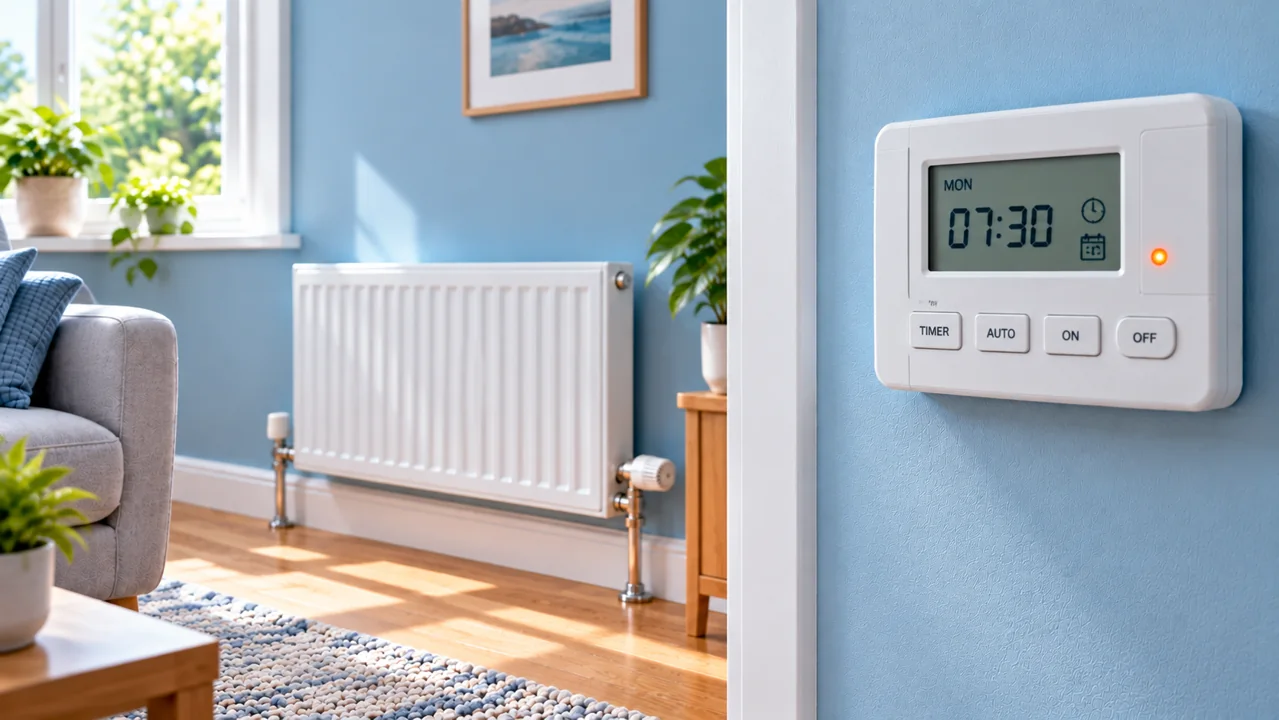
- Find the active mode. AUTO/TIMED follows the schedule; ON/CONSTANT ignores timed OFF periods; OFF may disable ordinary heating; Boost and Advance can override just part of the day. Names vary by device.
- Check the correct channel and days. On dual-channel systems, a green HW light says little about CH. Review Monday–Friday versus Saturday–Sunday settings and every ON/OFF pair.
- Test an ordinary call for heat. With a genuinely cool room, set the thermostat a little above measured room temperature and use the manufacturer-approved Boost/ON setting briefly. Observe the receiver or appliance status. Return to your usual settings afterwards.
If the system begins heating in the manual test, it suggests the heat source can operate under those conditions; it does not prove that every relay and time programme is healthy. If the test does not produce heat, check the thermostat and equipment indicators rather than resetting the programmer repeatedly.
HOW THE CONTROLS WORK
A working timer does not automatically mean a working boiler
In many UK radiator systems the programmer grants permission for heating during an ON period. A room thermostat then requests warmth if the sensed temperature is below its setpoint. On systems with motorised zone valves, their position and end switches may determine whether the boiler and pump run. Even if the time switch says CH ON, a satisfied thermostat, another interlock or a valve fault can prevent heat being delivered.

In some smart systems, the thermostat and timer are combined, with app schedules, remote room sensors or geofencing influencing the decision. In many US homes a programmable thermostat itself combines scheduling, temperature sensing and a call to a furnace or heat pump; there may be no separate UK-style two-channel programmer.
CLOCK & CALENDAR ERRORS
The heating comes on an hour early—or on the wrong day
A clock that is one hour out can make the schedule appear faulty after the spring or autumn clock change. Some programmers automatically apply UK daylight-saving changes; others need manual adjustment. A 12-hour display set to PM instead of AM can produce a much larger error. Battery-backed or mains-powered models also vary: a power interruption can reset certain units, while others preserve their time and schedules. Do not assume every programmer loses settings after a power cut.
Compare the clock, day and year (if available) with a trusted reference. Look for an “Auto DST”, “Summer Time”, “Holiday” or “Clock” setting in the model manual. If time seems to drift steadily over weeks even without outages, the clock circuit or memory may require service or replacement. Note that some smart devices obtain network time and recover automatically after connectivity returns.
AUTO, ON, OFF & SCHEDULES
It heats in manual mode but not at the programmed times
That is the strongest clue to a time-control setting rather than a total heating-system failure, but it is not conclusive. Review the daily ON/OFF sequence, not just the first event. A copied schedule may affect only weekdays; Saturday and Sunday can be separate. If ON and OFF are accidentally entered for the same time, the period may effectively disappear. If the device is set to constant OFF, selecting temperature on the separate thermostat may have no effect.

Try a simple model-approved test: note your current settings, set a short ON period a little ahead of the current clock time and save it, then verify that the control enters the ON state at that time. Do not manipulate electrical outputs or set extreme temperatures to “force” operation. Some controllers anticipate demand and may start early; others respond at the programmed boundary. Always return to the household's normal schedule after testing.
BOOST, ADVANCE & HOLD
Why the programmer ignores an OFF period
Boost usually adds a temporary heating period; Advance commonly jumps to the next scheduled ON or OFF event; ON/Constant/Manual can ignore the clock altogether. On programmable thermostats, a Temporary Hold can last until the next change, whereas a Permanent Hold can remain until cancelled. These terms are not interchangeable and the buttons differ between models. Drayton specifically distinguishes Boost from Advance, while Honeywell documents temporary versus permanent Hold for several thermostat families.
Before pressing a factory reset, review the active mode display, home-app schedule and any Holiday/Vacation settings. Cancel only an override you understand, preferably following the manufacturer manual. A factory reset can erase carefully set hot-water and heating times, paired devices or installation-dependent configuration; it is usually an unnecessarily destructive first step.
BLANK SCREEN OR LOST POWER
No display, flashing screen or unresponsive buttons
On a battery-powered room thermostat, confirm whether the manual specifies replaceable batteries and their correct orientation. On a mains-powered programmer, look for other signs that the heating controls have power: boiler display, normal isolator status and known household electrical outages. Check only user-accessible controls and the consumer-unit status that you would ordinarily inspect; do not open switches or remove a programmer from its wiring plate.
A blank screen can be caused by loss of supply, a failed display or internal electronic fault. A lit screen with buttons that fail can indicate key lock, moisture damage or ageing electronics. Note whether the display flickers when power returns and whether the timer still controls heating even when the characters are faint. If controls intermittently reboot or power trips, stop repeatedly operating them and book electrical/heating assessment.
ON DISPLAY BUT NO HEAT
Separate an enabled time window from a delivered heat request
First make sure the CH rather than only the HW channel says ON. Then raise the thermostat target slightly above actual room temperature. If the receiver has accessible status lights, note whether it reports heat demand; do not remove its casing. A programmer's indicator may represent a requested output, not prove that a downstream relay closes correctly. Fault possibilities include failed contacts, a miscommunicating thermostat, stuck zone-valve mechanism, boiler lockout or circulation issue.
If hot water works but heating does not, the CH programmer channel and thermostat/zone path deserve attention. If both are absent, a shared supply or appliance fault becomes more plausible. None of these patterns uniquely identifies a part: a service engineer can use appropriate insulated test equipment to determine which control is failing, without trial-and-error replacement.
DUAL-CHANNEL UK SYSTEMS
Heating works but hot water does not—or the reverse
Homes with a stored hot-water cylinder often have separate programmer controls for CH and HW, plus a cylinder thermostat and one or more motorised valves. A homeowner may set heating to AUTO but accidentally edit hot-water periods, or may see HW ON and assume the boiler should be heating the radiators. Some boilers and system arrangements interlock the channels differently; some combi boilers have no separate timed cylinder circuit at all.
Confirm the labels on your specific programmer and which channel changes state when an ON/Boost button is used. If one channel consistently works and the other does not, record the indicators and whether the cylinder or radiators respond, then seek professional service when routine settings do not resolve it. Do not try to replace a “universal” dual-channel faceplate without exact model and wiring compatibility assessment.
SMART SYSTEMS & US THERMOSTATS
App says Schedule—but the wall control says Hold
On Wi-Fi systems, an app schedule may be modified by a manual thermostat Hold, occupancy mode, geofencing, an Away or Vacation setting, or multiple users. The most reliable check is to compare the device's current active mode with the intended schedule; a saved schedule alone does not mean it is currently being followed.
US systems often call this a “programmable thermostat” rather than a separate “heating programmer”. For example, Honeywell Home describes RUN SCHEDULE as a way to cancel certain holds, while ecobee explains that manual temperature adjustments can create a Hold that supersedes scheduled comfort settings. Fan ON vs AUTO affects air movement but does not necessarily mean the furnace is producing heat. Some heat pumps may begin heating ahead of a setpoint time for temperature recovery, depending on their control features.
For wireless UK controls, observe any documented receiver LEDs or “connection lost” warning, but do not make electrical connections or attempt unapproved pairing sequences. Confirm the app, hub and local device are all online and using the correct zone before blaming the boiler.
AT-A-GLANCE TROUBLESHOOTING
Match the pattern to the next safe check
| What you notice | Likely area | Safe next check |
|---|---|---|
| Clock an hour wrong | DST/clock setting | Correct day and clock per manual |
| Manual ON heats, AUTO does not | Periods, channel or override | Review and save full week schedule |
| Programmer says ON, boiler off | Thermostat or downstream control | Compare setpoint, room temp and receiver LED |
| Heating stays on past OFF | Constant mode, Boost, other zone | Check active mode and other demands |
| CH fails, HW works | Channel, thermostat or CH valve path | Check CH status; arrange service if unchanged |
| Blank display | Battery/supply/controller hardware | User-approved power/battery checks |
| App schedule not followed | Hold, Vacation, pairing or network | Compare live device status to app |
WHEN TO CALL A PROFESSIONAL
What to tell your installer or heating engineer
Call when the display fails or intermittently restarts, the programme is correct but no output occurs, one channel stops responding, wiring or control hardware is suspected, or the boiler continues heating without an authorised demand. Take a photograph of the front of the timer and its model number, not its exposed wiring. Have ready: the exact day/time, AUTO/ON/OFF mode, programmed period, thermostat target and room reading, CH/HW indicator states, receiver LEDs and boiler error codes. This evidence often prevents unnecessary component swaps.
For UK mains programmer replacement, use a competent electrician or heating controls engineer. For gas appliances, use an appropriately qualified Gas Safe registered engineer. In the US, a licensed HVAC professional should test thermostats, relays, zone controls and furnace safety circuits. A failing switch output cannot be confirmed safely by pressing buttons alone.
FREQUENTLY ASKED QUESTIONS
Common heating programmer questions
Why is my heating timer not turning the boiler on?
Check the timer's CH channel, clock, AUTO setting and the room thermostat first. A timer ON indication can coexist with a thermostat that is already satisfied or a downstream receiver, valve or boiler fault.
What is the difference between a programmer and thermostat?
A separate UK programmer sets the allowed time periods; a room thermostat regulates demand according to room temperature. A programmable thermostat combines both functions in one unit.
Why does my heating work in ON but not AUTO?
AUTO may be following a different time, day or channel than expected, or a saved programme may contain gaps. Check all periods and overrides before suspecting timer hardware.
Why is my programmer one hour out?
UK daylight-saving changes or incorrect clock settings are common causes. Some controls change time automatically and others require adjustment, depending on the model.
Will a power cut erase my central-heating schedule?
It depends on the model. Some preserve both clock and schedule, some preserve schedule but need a new time, and others may fall back to defaults. Refer to the exact control manual.
What do Boost and Advance mean?
Boost usually adds a limited-duration ON period, while Advance skips to the next scheduled switching state. Both are temporary overrides; check the model's labels and behaviour.
Why does the green ON light show but the radiators are cold?
That lamp may indicate the timer is allowing heat, not that the thermostat has requested it or the boiler has fired. Compare the room setpoint, boiler status and any receiver indicators.
Why does hot water work but heating not come on?
On a dual-channel setup the two time programmes and control paths can differ. Check that CH is enabled, then ask a professional to diagnose persistent valve, thermostat or electrical output faults.
Can I reset the programmer to fix it?
Follow the manufacturer if a user reset is recommended, but write down existing time periods and pairing details first. Avoid factory resetting as a first reaction because it can wipe useful configuration.
Can I pull the programmer off the wall plate?
No. Many UK programmers use a mains-connected backplate. Do not remove it or bridge terminals; a qualified professional should inspect or replace it.
Why does my Honeywell or ecobee ignore its schedule?
A temporary or permanent Hold, Away/Comfort mode, geofencing or a manual change may supersede the schedule. Compare active device status with the app, then use the model-specific Resume/Run Schedule control.
Is it normal for the boiler to fire when the programmer is OFF?
Some systems have independent hot-water, frost-protection or other zone demands. If active space heating continues without any intended demand, record the status and arrange professional diagnosis.
OFFICIAL GUIDANCE & REFERENCES
Where the diagnosis comes from
- Drayton Controls — time controls, thermostat demand, Boost and Advance
- Drayton Controls — homeowner guidance for clock changes and power cuts
- British Gas — timer, clock and basic heating checks
- Worcester Bosch — EasyControl behaviour after a power cut
- Honeywell Home — temporary and permanent schedule overrides
- ecobee — schedules, comfort settings and holds
- Honeywell Store — programmer and schedule troubleshooting
Buttons, timing logic, supply arrangements and wiring differ by device. Always prioritise your exact model's current user manual. The links above explain the mechanisms and do not establish that a specific component in your home has failed.